
Still need to use hundreds of keys? Did you know they could be managed by your existing access control system?
How integrating Access Control with Traka Key Management closes a critical security gap.

Kris Simons
Sales Director, ATEC
“We talk to many organisations who have an extensive access control system (ACS) but separately manage many physical keys. These keys often grant access to some of the most sensitive areas on their sites — comms rooms, plant rooms, vehicles — but frequently sit outside the security system and are manually managed using peg boards and multiple sign out sheets.”
In this article
Share on:
What is Traka?
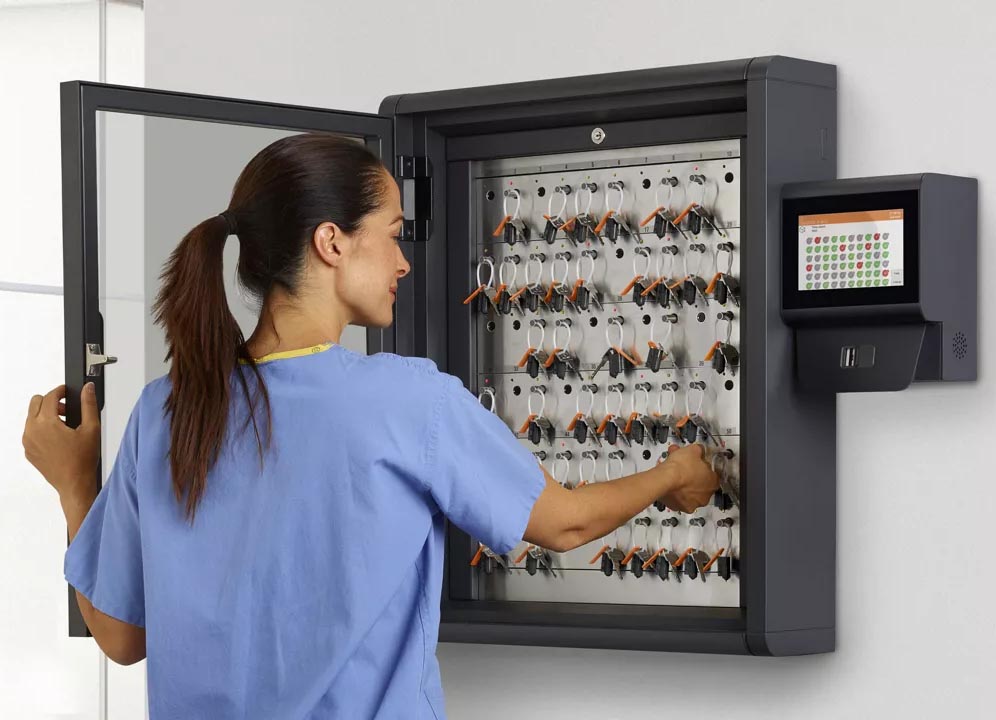
From a security perspective, unmanaged keys mean limited visibility, weak audit trails, and difficulty revoking access quickly. From an operational perspective, keys go missing and need expensive replacements or even new lock cylinders, time is wasted locating them, and incidents are harder to investigate.
Traka is an established intelligent electronic key and asset management system designed to help organisations secure, control, and audit physical access keys and valuable equipment such as vehicles, tools, and sensitive devices. It replaces traditional lockable cabinets or logbooks with a fully digital, accountable solution that can be fully integrated with most Enterprise access control systems including Genetec, Gallagher and Lenel.
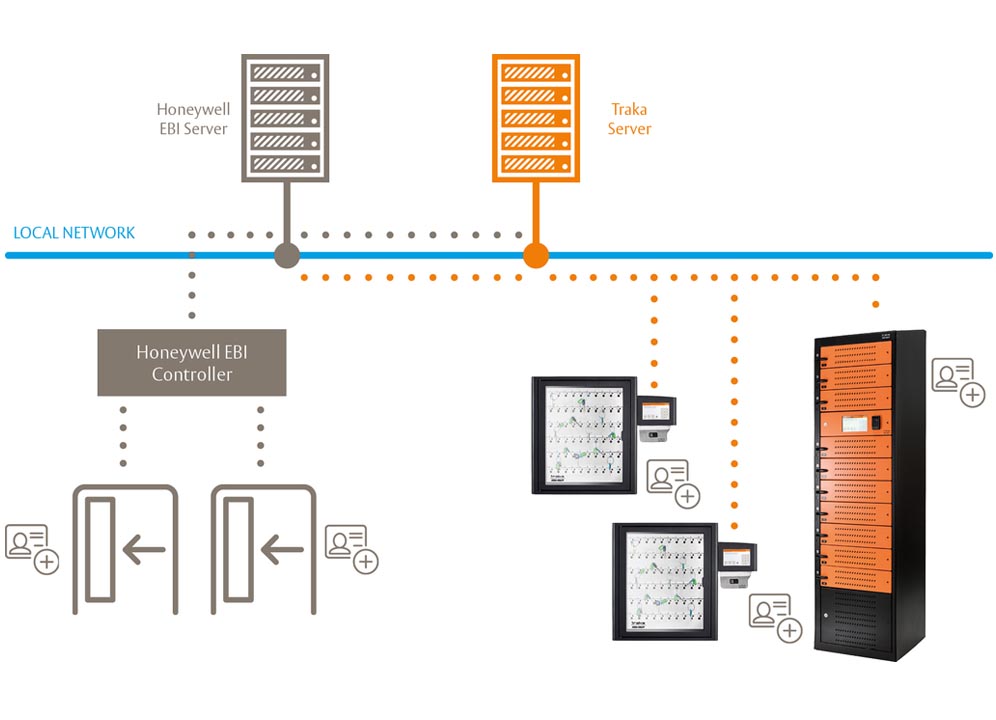
When Traka is integrated with an access control system, physical keys become part of the same security ecosystem as doors and cameras. All key usage to a standard access control cardholder identities including time, location and everything appears alongside all other security events in your access control system.
What does integration typically look like?
The Traka cabinets will be connected to your IT network, and the Traka server software will need to be installed onto a Traka server. Normally, one of your standard access control readers is installed onto each cabinet so that people can use their standard card to open it, eliminating the need for separate badges or system management.
Traka can be integrated with most Enterprise level ACS, such as Genetec, Gallagher or Lenel. All the integrations work in a very similar manner meaning that all the rules about who can take what key(s) from what cabinet(s) is completely are managed on the access control system, rather than the Traka software.
In addition to this any alarms generated by the Traka cabinet will be displayed on the ACS event monitoring screen e.g. door left open too long, key overdue, key returned to wrong slot, key returned by a different person etc.. During an incident like this, operators no longer need to piece together information from separate systems. Cabinet access, video footage, and key usage form a single, user-friendly timeline in familiar software.
Checking out and returning keys
To open the cabinet, you just present your card to its reader. Because of the integration, the Traka cabinet knows who you are at what keys you can take and what keys you may already have ‘out’ and will also guide you to return any keys to the correct slot.
Final thoughts
Use biometrics
For additional security you could consider using fingerprint readers on the Traka cabinets. We have successfully used ‘finger on card’ for many clients, which means that somebody has to show both their card and finger in order to open the key cabinet. This gets around the worry of an access control card getting into the hands of the wrong person who can then get access to your keys.
Integrating Traka with your access control system doesn’t add another system to administer. Key permissions are managed in the same place as door permissions, staff use the card already in their pocket, and cabinet alarms come up on the screen your operators are watching anyway. When something does go wrong, the key activity and the video are on the same timeline. If you already have the access control system, most of the work is done.
Learn more
If you want a demo of how easily Traka can integrate with your ACS please get in touch.
More on access control

Share on: